
Awardy can now be used inside ChatGPT. That means you can ask ChatGPT about award programs, deadlines, categories, fees, winners, and entry requirements without copying award data into every conversation by hand.
This is a launch post for agencies, brand teams, and award operators who already use ChatGPT for research, planning, writing, or review. The point is not to turn ChatGPT into a final decision-maker. The point is to give ChatGPT a reliable awards context layer so it can answer better questions, surface gaps earlier, and help your team move faster with human review still in control.
What Awardy on ChatGPT does
Awardy on ChatGPT connects ChatGPT to Awardy's awards intelligence layer. Instead of asking a general model to guess which awards matter, what deadlines are active, or how categories are structured, you can ask ChatGPT to use Awardy as the source for structured awards context.
The current Awardy MCP server exposes planning and research tools for:
- Searching award programs by name, region, discipline, or keyword.
- Opening an award profile.
- Listing current and upcoming cycles.
- Checking key dates and deadline windows.
- Reviewing category structures.
- Looking up fee information where available.
- Searching winners and winner case references.
- Requesting unlock access for more info on winner cases or entry requirements.
The practical difference is simple: ChatGPT becomes more useful because it can retrieve award context instead of relying only on what you paste into the prompt.
That matters in award work because the expensive mistakes usually come from missing context. A team may shortlist the wrong category, miss an early fee window, compare against irrelevant winners, or start drafting before entry requirements are clear. Awardy on ChatGPT is designed to move that context into the conversation earlier.
How to enable Awardy in ChatGPT
OpenAI's current product language calls these connected experiences "apps." Some screens, older references, or technical materials may still use "connectors" because ChatGPT previously used that term. The setup flow is the same idea: connect an external service, approve access, and then use it from inside ChatGPT.
To enable Awardy:
- Open ChatGPT web.
- Go to Settings, then Apps.
- Enable Developer mode or create custom MCP connectors.
- Go to Workspace Settings, then Apps, then Create.
- Add the MCP endpoint:
https://mcp.awardy.ai/mcp. - Sign in with Awardy when prompted.
- Review the permission screen.
- Confirm the connection.
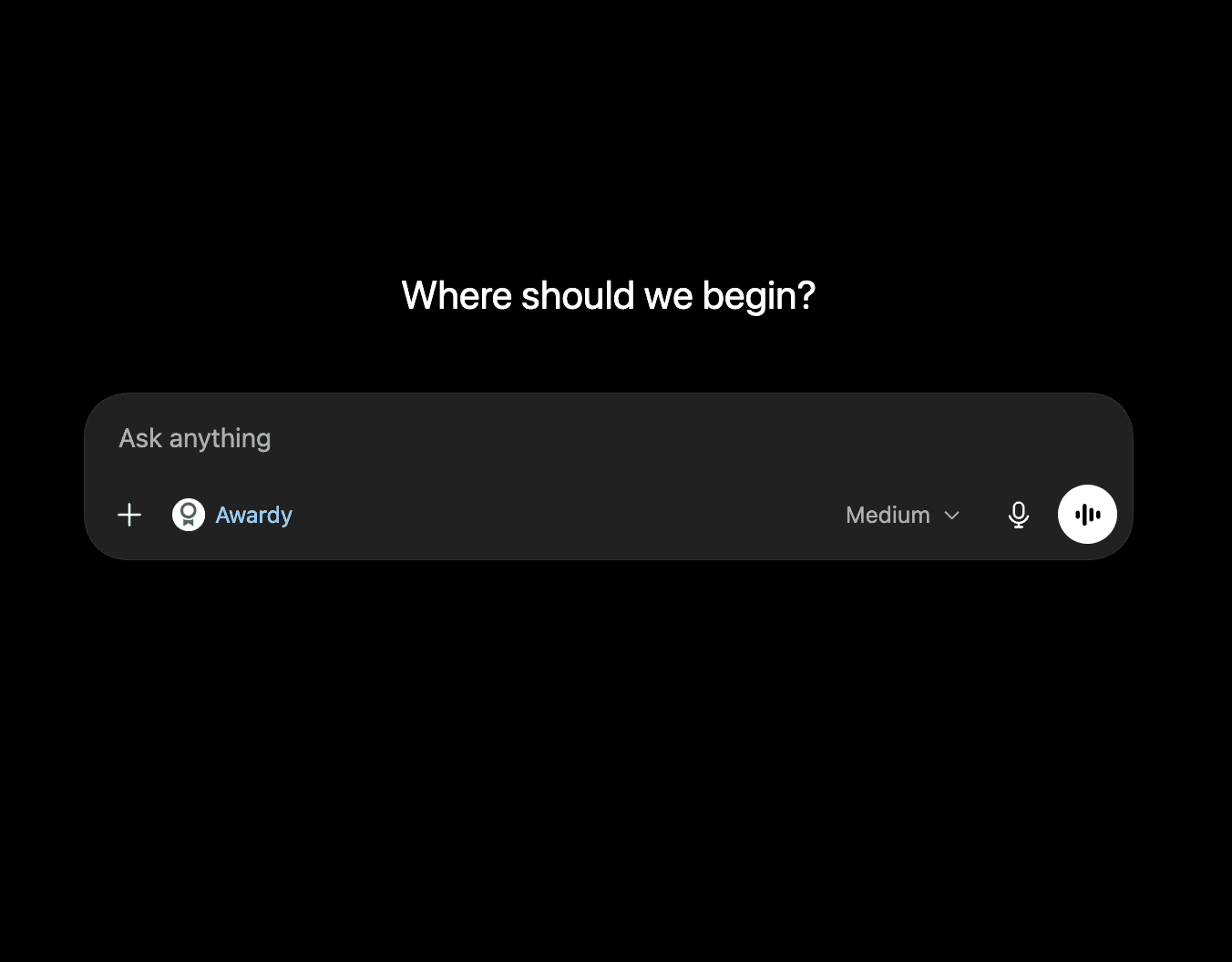
- Start a new ChatGPT conversation and select Awardy from the composer or app picker.
If you are using ChatGPT Business, Enterprise, or Edu, your workspace administrator may need to enable apps or custom MCP apps before you can connect Awardy. If you see a disabled app state, an unavailable Connect button, or a workspace restriction, ask your admin to enable the app for your role or workspace.
For personal accounts, app availability can depend on your plan, geography, and rollout status. OpenAI's apps documentation notes that some app capabilities are limited to certain plans and that custom MCP availability can vary by account and workspace.
What to do after connecting
Once Awardy is available in ChatGPT, start with planning prompts before asking it to write anything. Good award work is not only about copy quality. It is about picking the right opportunity, understanding the entry rules, and knowing what proof the jury will expect.
Try prompts like:
- "Use Awardy to find award programs relevant to a B2B SaaS campaign in Europe."
- "Which upcoming awards have deadlines in the next 60 days for digital marketing or effectiveness work?"
- "Compare the category structures for Cannes Lions, Effie, and D&AD for a brand campaign."
- "Find winner examples related to retail media, loyalty, or customer experience."
- "What should we check before deciding whether this campaign belongs in an effectiveness category?"
- "Which award deadlines should our team plan around this quarter?"
- "Request unlock access for the winner cases and entry requirements for this award."
The best first prompt is usually not "write my award entry." It is:
"Use Awardy to help me understand the right award opportunities, categories, deadlines, and evidence requirements for this campaign before we start drafting."
That framing keeps the assistant in the right lane. It asks ChatGPT to help with context, structure, and gaps before the team commits to a submission path.
Why this is useful for agencies
Agencies usually have too many awards decisions happening across too many places: spreadsheets, Slack threads, recycled entry decks, client approvals, old winner links, and scattered program pages.
ChatGPT can help with summarizing, comparing, and drafting, but only if it has the right context. Without Awardy, the team has to paste every deadline, fee table, category note, and winner reference into the chat. That is slow and brittle.
With Awardy connected, an awards lead can use ChatGPT to:
- Shortlist award programs for a campaign.
- Compare active deadlines.
- Check category fit before writing begins.
- Build a first-pass awards roadmap.
- Identify likely evidence gaps.
- Prepare an internal briefing note for account teams.
- Ask for winner patterns before shaping the entry narrative.
This does not replace the awards director, strategist, or human reviewer. It gives them a faster research surface.
Why this is useful for brand teams
Brand teams often do not need a full awards operation every day. They need a quick way to understand whether a campaign is worth entering, which programs are realistic, and what the timeline looks like.
Awardy on ChatGPT helps turn that first question into a structured planning conversation. A brand marketer can ask:
- "Which awards should we consider for this campaign?"
- "What are the next relevant deadlines?"
- "Which categories seem plausible?"
- "What proof points should we gather before briefing an agency?"
- "What winning work should we review before deciding?"
That makes ChatGPT more than a blank writing box. It becomes a planning assistant with a live awards data layer.
What this changes
The old workflow was:
- Search the web for award pages.
- Copy deadlines into a spreadsheet.
- Paste program notes into ChatGPT.
- Ask for category ideas.
- Repeat when the model forgets context.
- Manually verify everything again.
The new workflow is:
- Open ChatGPT.
- Select Awardy.
- Ask for relevant awards, deadlines, categories, fees, or winners.
- Use the retrieved context to plan the submission.
- Ask ChatGPT to turn the plan into a brief, checklist, or draft.
- Send the result through human review.
That shift sounds small, but it changes the starting point. Your team spends less time feeding the assistant and more time asking better questions.
The benefit: better context, less copy-paste
The benefit of Awardy on ChatGPT is not simply speed. It is context quality.
When the assistant can use structured award data, it can help teams move through the early planning questions with less manual lookup:
- What is open?
- What is relevant?
- What is urgent?
- What will it cost?
- What has won before?
- What do we need before drafting?
That is where award work gets leverage. The first useful output is not a polished entry paragraph. It is a clearer map of the opportunity.
Awardy is the awards intelligence platform that helps agencies, brands, and award programs access awards data, plan opportunities, generate insights, and turn campaigns into stronger entries. Bringing Awardy into ChatGPT makes that intelligence available in the place many teams already think, ask, compare, and draft.